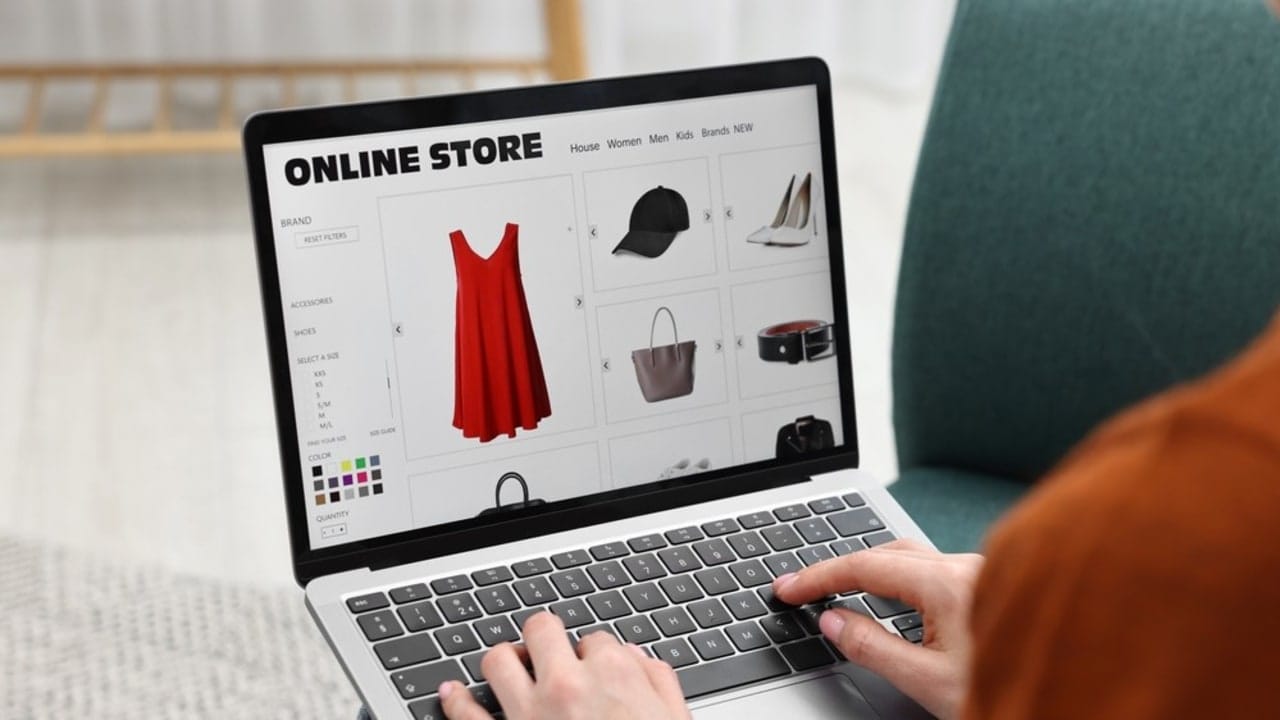
Running an online store means dealing with visuals all the time.
Product photos, listing graphics, promotional images, social posts. The list keeps growing.
And for most sellers, especially solo operators and small teams, that pile quietly becomes one of the biggest time drains in the business.
Designkit was built to fix exactly that.
It's an AI-powered e-commerce design platform and its entire focus is on helping online sellers produce professional product visuals without a photography studio, a design team, or a graphic design degree. Read on for a full review.
What is Designkit?

Designkit positions itself as an AI E-Commerce Design Agent. That framing is intentional. It's not a single-purpose photo editor: it's a full visual production system covering everything from product photography to listing image sets, fashion model generation, background creation, and video output.
The platform runs on Nano Banana Pro (Gemini 3.0 Pro) for image generation, with Kling 3.0 and Seedance 2.0 handling video. The output quality reflects that — this isn't a bargain-tier tool running on outdated models.
Everything sits under two main categories: the AI E-Commerce Agent, which handles creation tasks built specifically for selling online, and AI Tools, which covers standalone editing and enhancement utilities. Between the two, most of what an e-commerce seller needs visually can be done inside one platform without bouncing between five different tabs.
Main Features of Designkit
Designkit organizes its tools into two main categories. AI E-Commerce Agent and AI Tools. The first focuses on automated content generation for e-commerce visuals. The second group includes editing tools that help refine images quickly.
Together, these tools cover most of the visual tasks online sellers deal with every day.
AI E-Commerce Agent
The AI E-Commerce Agent acts as the core creation engine inside Designkit. It generates product visuals, lifestyle images, and even short promotional videos directly from a basic product photo.
Instead of building every visual manually, sellers describe what they want and the platform produces ready-to-use assets.
Here are the main tools included in this category.
1. AI Product Image Generator
This umbrella covers three distinct tools, each handling a different stage of the product listing visual stack.

The AI product photography generator is the feature most new users try first, and it's a strong first impression. Upload a product photo — a phone shot, an existing catalog image, anything reasonably in focus — and the AI analyzes the product's category, material, and visual properties. It then recommends scene options tailored to that specific product. A candle gets warm Nordic ambient light. A skincare bottle gets clean, clinical minimalism. A leather wallet gets a dark, premium editorial feel.
Where the photography generator handles individual shots, the product listing image generator builds a complete visual package from one sentence of input. Describe the product and the target marketplace, and the AI generates the full set: main image, lifestyle photos, feature graphics, and dimension charts.
Platform-specific formatting is automatic. Amazon's pure white background requirement, eBay's multi-angle display standards, Shopify's lifestyle-first conversion preference — the generator knows the rules for each platform and formats accordingly.

The detail page is where hesitant buyers make up their minds, and most sellers underinvest in it. This tool generates full A+ content layouts — structured detail page designs with feature callouts, comparison sections, lifestyle imagery, and brand storytelling blocks. The output matches the standards expected on Amazon, Shopify, and similar platforms, without requiring a designer to build them manually.
2. AI Fashion Model Generator
For apparel and accessories sellers, this category solves a very specific and expensive problem: how do you get on-model product photography without booking models, renting studio space, or running a full shoot every time a new colorway drops?

Upload a flat-lay or ghost mannequin product image, choose from a diverse AI model library, and get on-model shots with realistic garment drape, fabric behavior, and shadow rendering. The results hold up well at listing scale — fabric texture, fit, and natural-looking poses.
This one saves a surprising amount of time for sellers managing multiple colorways of the same product. Instead of reshooting the same garment in six different colors, you change the color digitally — and the AI maintains the original fabric texture and lighting throughout the change. The result looks like a separate shoot. It isn't.
3. Product Video Generator
Static images convert well, but product videos convert better on most platforms. The Designkit Product Video Generator takes product visuals and produces short-form promotional video content — the kind that runs on TikTok Shop, Amazon video slots, Shopify product pages, and social ads.
It runs on Kling 3.0 and the upcoming Seedance 2.0 (with unlimited access coming soon). For sellers who've avoided video purely because production felt too complex or expensive, this is a meaningful unlock. Upload your product image, describe the scene or motion style, and the AI handles the rest.
AI Tools (Category Two)
The second category inside Designkit focuses on editing and refining product visuals. While the AI agent generates new content, these tools help improve existing images.
They handle common editing tasks that sellers usually perform before publishing images.
1. AI Photo Editor
This covers seven distinct tools, each handling a specific editing task.
- AI Photo Editor Online
- Image Enhancer
- Object Remover
- AI Background Remover
- AI Background Generator
- Image Resizer
- Add Text to Image
These tools aren't afterthoughts. The background generator reads product context and produces backgrounds that feel intentional rather than randomly placed. The object remover handles stray props and distracting elements cleanly. The image enhancer runs at HD or UHD quality on paid plans and does a solid job recovering detail from underexposed or slightly soft source images.
2. Batch Photo Editor
The batch photo editor applies the same edit (background removal, enhancement, resize, color correction) across an entire folder of images simultaneously. For sellers running catalog refreshes or processing large batches of new SKUs, this is one of the most practically useful tools in the platform. One setup, hundreds of images processed, no repetitive clicking.
Pricing
Plan | Monthly Credits | AI Agent Images | Background Generator | Batch Processing | HD/UHD Enhancement |
Free | 20 (one-time) | Up to 20 | Up to 10 | ❌ | HD only, limited |
Basic | 500/month | Up to 500 | Up to 250 | ✅ | Unlimited HD/UHD |
Pro | 1,500/month | Up to 1,500 | Up to 750 | ✅ | Unlimited HD/UHD |
Payments process through Stripe — major credit cards, PayPal, and Google Pay accepted. There's a 7-day money-back guarantee on subscriptions and unused credits, plus one-time credit top-up options for sellers who prefer not to commit to a monthly plan.
Who Should Use Designkit?
Small and medium-sized e-commerce brands that need professional-looking visuals without the cost of a photography team. The results often rival what bigger brands get from expensive shoots.
Cross-border sellers managing catalogs across multiple platforms and regional markets. Batch processing, preset recipes, and localization tools make managing large catalogs much easier.
Solo entrepreneurs and DTC founders doing everything themselves. The one-sentence input model works — you don't need to write a creative brief, understand lighting setups, or know design terminology to get a result worth publishing.
Final Verdict
Designkit delivers on its positioning as an AI e-commerce design agent. The AI product photography generator produces 4K output that holds up to commercial use. The listing image system's full-set approach covers what most sellers actually need per product. The editing tools handle the daily cleanup and formatting work without requiring a separate app for each task.
For e-commerce sellers who've been producing mediocre visuals because professional photography felt out of reach — or simply because the process was too slow for the volume of content the business demands — Designkit is a practical solution that earns its subscription cost quickly.
This article was written in cooperation with Zawa