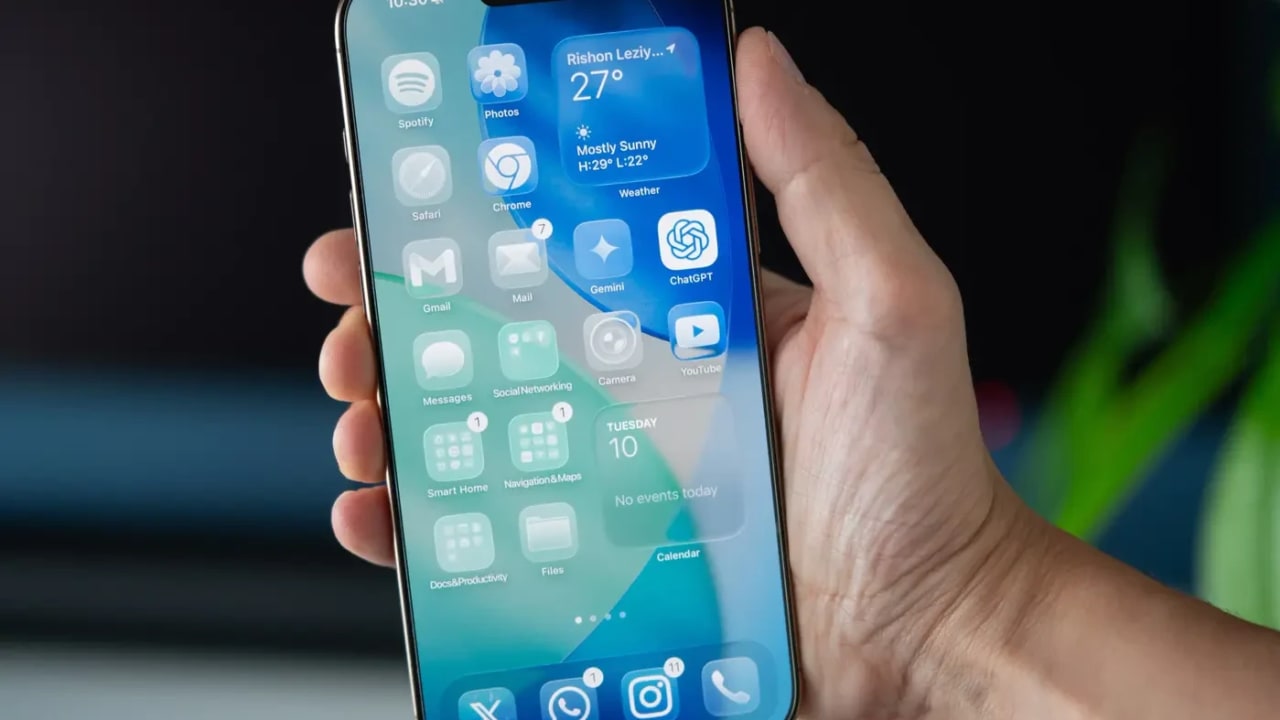
It started as a small criticism in forums and on X (Twitter) – users complained that the new Liquid Glass look was beautiful but somewhat hard on the eyes. Apple, which usually does not rush to change design decisions, decided this time to listen. With the fourth beta versions of iOS 26.1, iPadOS 26.1, and macOS 26.1, the company is introducing a new option that gives users back a bit of control over the operating system’s appearance – and apparently also a bit of peace of mind.
The new feature allows users to choose between two display modes of Liquid Glass: Clear – which shows the existing transparent and elegant design, allowing the background to be seen beneath bars, buttons, and menus; and Tinted – a slightly more opaque version that increases contrast and makes the on-screen elements clearer and sharper. It’s not a revolution, but such a change is exactly the kind of thing that softens the boundaries between a rigid design vision and a comfortable user experience.

Those already running the beta version can find the new option in the Display & Brightness menu in Settings on iPhone or iPad, and on Mac under System Settings > Appearance. Apple itself explained that during the beta period last summer, it received a lot of feedback from users requesting a less transparent version of Liquid Glass – a request that has now become reality.
Thus, in a small but significant update, Apple continues to refine one of the standout design features of its new operating systems. And instead of deciding for everyone what the screen should look like, it finally allows each person to choose the level of “transparency” that suits them.